

We talk a lot about AI replacing humans, but the true potential of the technology lies in Co-Creative AI, systems designed to amplify our abilities rather than automate them. Have you ever wanted to play a piano duet but found yourself alone in the room? Or perhaps you’ve wanted to improvise a melody but felt limited by your technical skills?
Enter Piano Buddy, an interactive web experiment where human creativity meets machine intelligence in a musical call-and-response. It’s not just a synthesizer; it’s a listening, reacting musical partner that lives entirely in your browser.
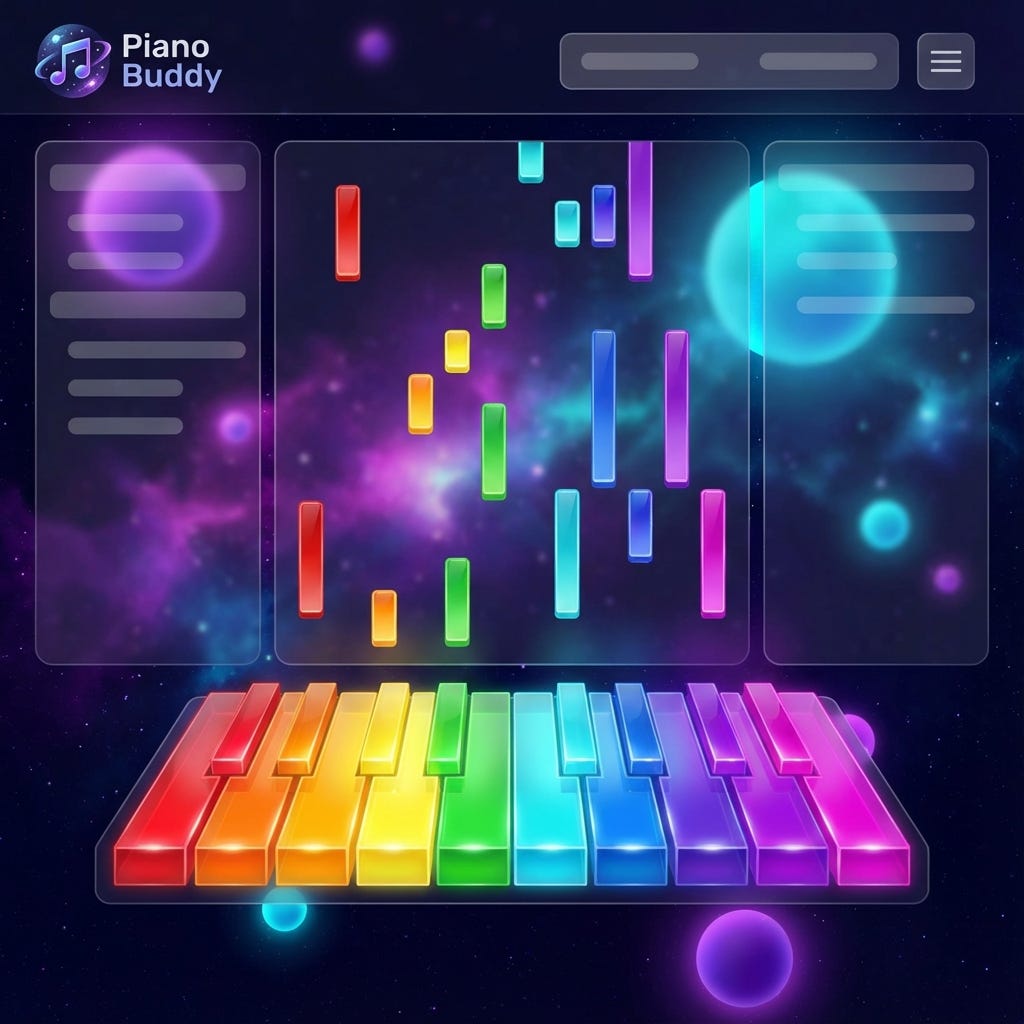
In this post, we’ll dive deep into the technical architecture behind Piano Buddy, exploring how we leverage Magenta.js, Recurrent Neural Networks (RNNs), and Piano Genie to create a seamless jamming experience.
The Concept: AI as a Creative Partner
Piano Buddy operates on a turn-based interaction model. You play a short melody, and the AI listens. When you pause, the AI picks up where you left off, generating a continuation that matches the style, tempo, and key of your input.
This isn’t simple playback or random generation. The system uses deep learning models to “understand” the musical context you’ve provided and predict the most musically appropriate follow-up.
The Tech Stack: Powered by Magenta.js
The core of Piano Buddy is built on Magenta.js, an open-source library from Google that provides pre-trained Music and Art models in the browser using TensorFlow.js. This allows us to run sophisticated inference client-side, with no need for a backend Python server to generating the notes. This ensures low latency, critical for a musical application.
We utilize two primary models to make this magic happen:
Piano Genie: For intelligent input mapping.
MusicRNN: For melody generation.
1. Smart Input with Piano Genie
One of the biggest hurdles in web-based music apps is the input interface. Mapping a full 88-key piano to a computer keyboard is clumsy. To solve this, we integrated Piano Genie.
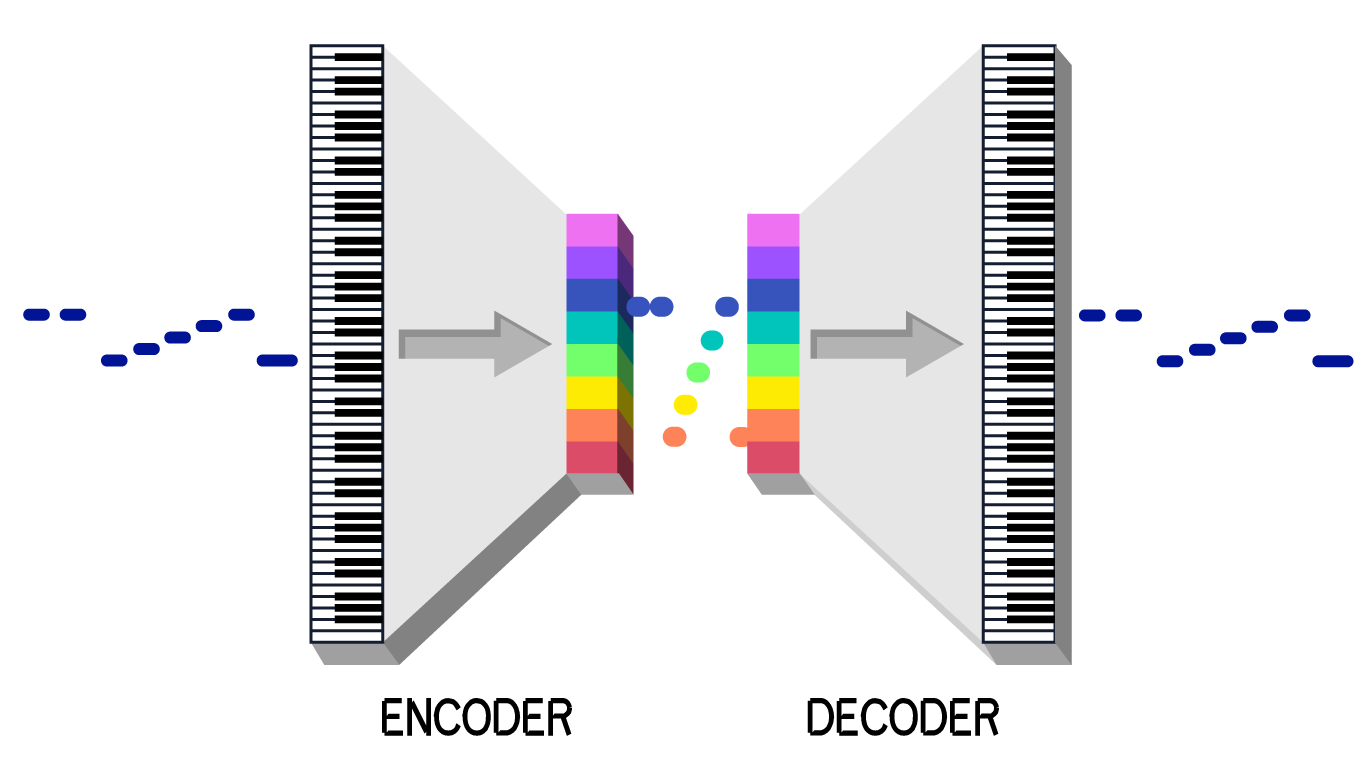
Piano Genie is a model designed to map a small number of inputs (in our case, just 8 buttons) to a full 88-key piano output while keeping the music sounding “pianistic.”
Under the hood, Piano Genie is based on a discrete Autoencoder architecture inspired by VQ-VAE. It learns a discrete latent space of musical contours. The encoder maps 88 keys to one of 8 “buttons,” and the decoder learns to map those buttons back to the original music. At runtime, we only use the decoder, allowing the user to play complex-sounding melodies with simple button presses.
2. The Brain: Melody RNN
Once you’ve played your part, the MusicRNN takes over. This model is a Long Short-Term Memory (LSTM) network, a type of Recurrent Neural Network (RNN) specialized for sequential data like text or music.
Unlike traditional Feed-Forward networks, RNNs have a “memory” (hidden state) that persists across time steps. This allows the model to understand context, knowing that a C major chord played 4 steps ago should influence the note generated now.
The Mathematics of Melody
From a probabilistic standpoint, the RNN is modeling the conditional probability of the next note event xt conditioned on the previous notes x0:t-1:
Where θ represents the learned weights of the neural network. The output of the network is a Softmax probability distribution over the possible MIDI pitches. We then sample from this distribution to choose the next note.
We control the “creativity” of the AI using a Temperature parameter ($T$):
Low Temperature (T < 1.0): The distribution peaks. The AI plays it safe, choosing the most likely notes.
High Temperature (T > 1.0): The distribution flattens. The AI takes risks, leading to more interesting (but sometimes chaotic) melodies.
Show Me the Code
Let’s look at the implementation. The core logic for generating a continuation resides in src/rnn.js. We wrap the Magenta MusicRNN model to handle the quantization (snapping notes to a time grid) and generation.
/**
 * Generates a melody continuation using an RNN model.
 * @param {Object} noteSequence - The user’s input notes.
 * @param {Object} options - Configuration for generation (steps, temperature).
 */
async function getSampleRnn(
  noteSequence,
  options = { stepsPerQuarter: 2, steps: 50, temperature: 1.3 }
) {
  // 1. Quantize the Input: Snap user’s loose timing to a grid
  const qns = mm.sequences.quantizeNoteSequence(
    noteSequence,
    options.stepsPerQuarter
  );

  // 2. Generate Continuation: Ask the RNN to dream up what comes next
  const sample = await musicRNN.continueSequence(
    qns,
    options.steps,       // How many steps to generate?
    options.temperature  // How wild should the AI be?
  );

  // 3. Unquantize: Convert back to absolute time for playback
  return mm.sequences.unquantizeSequence(sample);
}
In the main application logic (src/script.js), we manage the turn-taking state machine. When the user finishes playing (detected via a timer), we package their notes into a NoteSequence protobuf (the standard data format for Magenta) and pass it to the model.
const aiTurn = async () => {
    // ... setup UI ...

    // Get user’s recent notes
    const modelInput = sequence.getSequencesByTag(USER_TURN);

    // Generate the AI’s response
    const sample = await getSampleRnn(modelInput, modelConfig);

    // Play it back to the user
    for (const n of sample.notes) {
        pianoPlayer.playNoteDown(n.pitch);
        // ... visualization logic ...
        await sleep(n.endTime - n.startTime);
    }
};
Future Directions
Piano Buddy demonstrates that the web browser is becoming a powerful platform for AI deployment. By moving inference to the client, we democratize access to these creative tools, no high-end GPU server required.
Future improvements could include:
Polyphony: Using models like
PerformanceRNNto support chords and simultaneous notes.Style Transfer: Allowing the user to select whose style the AI should mimic (e.g., “Play like Chopin”).
Real-time Harmonization: generating accompaniment while the user plays, rather than after.
Try It Yourself
The code is open-source and available on GitHub. I encourage you to clone it, tweak the temperature settings, and see what kind of musical chaos you can create!
Live Demo: https://piano.nastaran.ai
Source Code: https://github.com/NastaranMO/piano-buddy
Piano Buddy was built by Nastaran Moghadasi. If you enjoyed this technical deep dive, subscribe to my Substack for more insights on Generative AI and Large Language Models.
References
[Piano Genie] Donahue, C., Simon, I., & Dieleman, S. (2019). Piano Genie. Proceedings of the 24th International Conference on Intelligent User Interfaces, 147–158. https://doi.org/10.1145/3301275.3302289
[LSTM] Hochreiter, S., & Schmidhuber, J. (1997). Long Short-Term Memory. Neural Computation, 9(8), 1735–1780. https://doi.org/10.1162/neco.1997.9.8.1735
[Magenta] Roberts, A., Engel, J., Raffel, C., Hawthorne, C., & Eck, D. (2018). A Hierarchical Latent Vector Model for Learning Long-Term Structure in Music. International Conference on Machine Learning, 4364–4373.
[TensorFlow.js] Smilkov, D., Thorat, N., Assogba, Y., Yuan, A., Kreeger, N., Yu, P., … & Cai, S. (2019). TensorFlow.js: Machine Learning for the Web and Beyond. SysML Conference.
[VQ-VAE] van den Oord, A., Vinyals, O., & Kavukcuoglu, K. (2017). Neural Discrete Representation Learning. Advances in Neural Information Processing Systems, 30.
[Autoencoders] Hinton, G. E., & Salakhutdinov, R. R. (2006). Reducing the dimensionality of data with neural networks. Science, 313(5786), 504–507.
This article comes at the perfect time, NastaranAI! I particularly loved your point about Co-Creative AI amplifying our abilites, not automating them. It’s such a refreshing perspective, especially as I'm often explaining to my students AI isn't just about taking jobs. A Piano Buddy sounds way less judgmental than my cat when I try to improvise. Fascinating tech with Magenta.js!